Photo Editor - Polish
- 4.8
- Rating
- 100.00M
- Installs
- Free
- Price

 Analysis by App-foxy
If you want to improve a phone photo without learning a full desktop editor, AI Photo Editor - Polish is an easy place to begin. I found it most useful when I wanted a quick result rather than a carefully layered project: open a picture, try a correction or style, compare the change, and save a version that looks ready to share. It is a free photography app from InShot Inc., with optional in-app purchases ranging from $0.99 to $129.99 per item.
The app is built around a broad mix of editing tools rather than one narrow purpose. Its current store summary points to AI filters, enhancement, collage creation, and AI-generated art, so it can cover everything from a small portrait touch-up to a simple social post. That variety is appealing, but it also means the first screen can feel busier than a basic crop-and-brightness editor. My advice is to start with one ordinary photo and one clear goal instead of opening every feature at once.
Getting from installation to a useful first edit
I’d use this section to make the first edit a small, deliberate test rather than a tour of every tool. Pick a photo you’re comfortable experimenting with, keep its original available, and decide whether you want to improve the image or change its style; that distinction makes it easier to judge the result. From there, the next section looks at what to expect when you open the editor.
You May Also Like

 AccuWeather: Weather Radar
AccuWeather Review: A Quick, Clear Forecast for Everyday Decisions
For everyday plans, the best forecast is the one you can understand quickly. AccuWeather makes rain timing, radar, and local conditions easy to act on, with a few trade-offs.

 Hill Climb Racing
Why Hill Climb Racing Still Turns Crashes Into One More Run
A tiny car, a bumpy hill and one more upgrade: Hill Climb Racing keeps resurfacing because its simple chaos makes every near-miss feel personal.

 AliExpress - Shopping App
AliExpress Makes Global Shopping Feel Personal, but Shoppers Bear the Risk
AliExpress turns a global marketplace into a pocket-sized discovery engine. Its reach is useful, its shopping loop compelling, and its trade-offs easy to miss.

 Lords Mobile: Kingdom Wars
Lords Mobile Is a Kingdom-Building Routine, Not a Quick Match
A case-by-case verdict on the building, battles, device demands, and social commitments that make Lords Mobile rewarding for some players and exhausting for others.

 PDF Scanner app - TapScanner
TapScanner Makes Paperwork Easier to Capture, Check, and Share
TapScanner makes scanning with a phone feel less like a rescue operation and more like a dependable step in getting work done. Its capture tools are useful, though not flawless.

 Block Blast!
 Shows How Much a Puzzle Game Can Leave Out
A quiet grid game shows why puzzle players increasingly value instant clarity, repeatable skill and low-pressure play—and where the genre still needs to catch up.
More From Our News Desk
View All News


What to expect when you open it
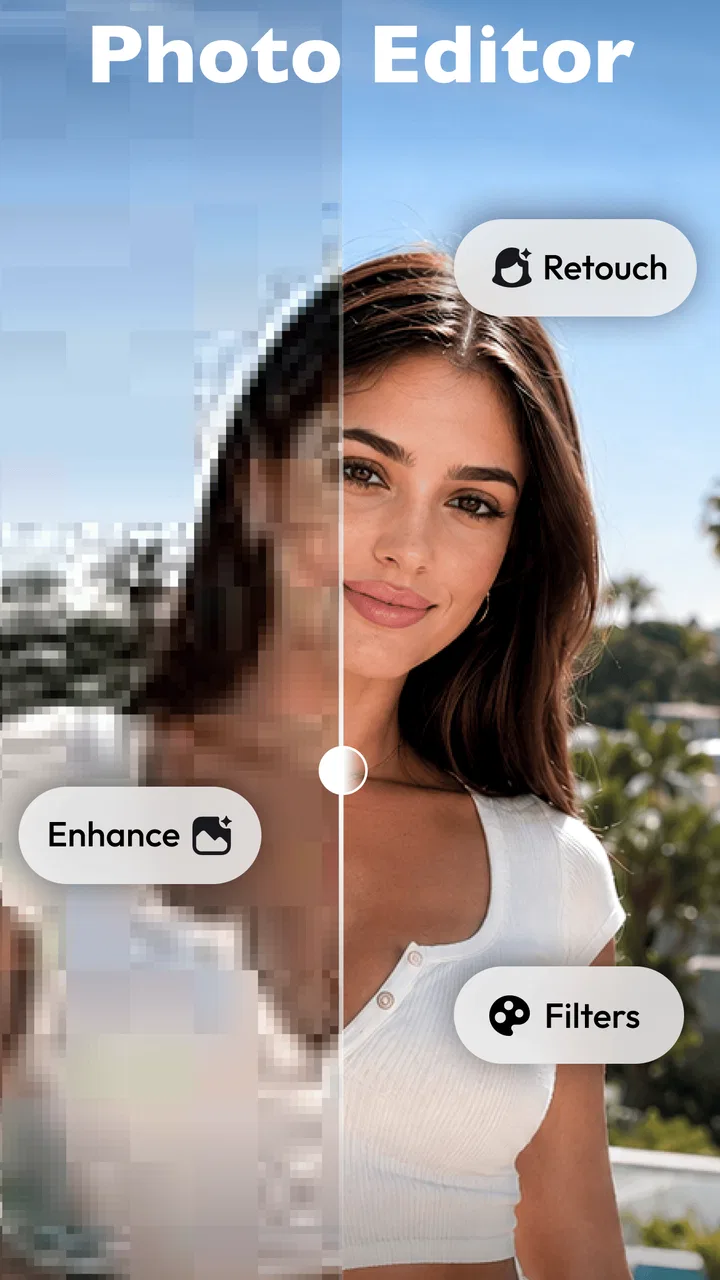
The first thing I noticed is that this is not just a traditional photo editor with a few sliders. It combines familiar controls with automated effects, which makes it approachable for beginners who do not know exactly how to fix lighting or color. At the same time, the app invites experimentation, so it is possible to spend more time browsing styles than improving the image.
AI Photo Editor - Polish has been available since April 23, 2018, and its scale is reflected in its reception: it holds a 4.8 average from around 4.6 million ratings, with over 100 million installs. Those figures do not guarantee that every tool will suit your taste, but they do suggest that the basic workflow is familiar to a very large mobile audience.
The app is rated for Everyone, which fits its general-purpose design. I would still treat the AI features as creative tools rather than automatic truth machines. An enhancement can make a soft image feel clearer, but it cannot reliably recreate important detail that was never captured. Likewise, a dramatic filter may look attractive in a preview while making skin tones or shadows less natural.
Setting up without getting lost
After installing, I recommend choosing a photo that matters enough to evaluate but not so important that you would be upset by an experimental edit. A well-lit portrait, a holiday snapshot, or a product photo on a plain surface works better than a very dark image for learning the controls. You want to see what the app is changing, not spend your first attempt guessing whether the original was simply too difficult.
Begin by importing one image and looking for the most direct editing path. If the picture is generally fine but dull, try enhancement or a restrained filter. If the subject is good but the framing is awkward, crop first. If you are preparing several images for a post, move to the collage maker only after you understand how the individual photo workflow behaves.
One practical habit makes a noticeable difference: keep the original untouched and save your edited result as a separate copy whenever the app presents that choice. This gives you room to compare rather than judging the edited version from memory. It also prevents a strong AI effect from becoming difficult to undo later.
The current version is 1.722.249 and supports operating systems from version 9 onward. That makes the app accessible to many older devices, although the experience of AI-heavy tools can still vary with a phone’s age, available storage, and general performance. If a complex effect takes longer to process, I would avoid repeatedly tapping the button; let the preview finish before deciding whether it worked.
Your first meaningful success
For a first result, I would choose a simple portrait with uneven lighting. Open the image, apply a modest enhancement, and inspect the eyes, hair, and background separately. The important test is not whether the whole picture looks brighter. It is whether the face remains believable and whether small details still look natural when you zoom in.
If the enhancement feels too strong, reduce the intensity rather than abandoning the tool. Subtle corrections are often more useful than the most impressive preview. I also like comparing the edited image with the original before adding a filter. Otherwise, it is easy to mistake extra contrast or saturation for genuine improvement.
A realistic everyday example would be a photo taken at a family gathering indoors. The room may have mixed lighting, the subject may be slightly shadowed, and the background may be distracting. I would first improve the overall image, then crop to give the person more attention, and only afterward test a gentle filter. That order keeps the edit purposeful and makes it easier to identify which step helped.
For a product listing or a small announcement, the collage maker can be more useful than an elaborate single-image effect. I would select a few photos with similar lighting, place the clearest image in the most prominent position, and avoid filling every space with decorative elements. The app can help assemble the post quickly, but the quality still depends on choosing images that belong together.
Where the AI tools help most
The strongest reason to use this app is speed. Someone who does not want to learn curves, masks, or complex selections can reach a presentable result with guided adjustments and visual previews. That is especially helpful for casual portraits, travel photos, profile images, and quick social content where a polished improvement matters more than pixel-level control.
AI filters are best approached as starting points. I would test them on a duplicate or keep the original nearby, because a style that looks good on a landscape may be unflattering on a face. The useful question is not “Which filter is most dramatic?” but “Does this filter support the mood I want without hiding the subject?”
The enhancer is also a good fit for images that need a quick lift, but it has a trade-off. Automated processing can make edges appear more defined while also making compression artifacts, hair, fabric, or background texture look exaggerated. Check the result at normal viewing size and at a closer view before saving it for printing or an important profile.
The AI art generator serves a different purpose from enhancement. It is suited to playful experiments, concept images, and creative posts rather than faithful restoration. I would not use a generated result when accuracy is essential, such as documenting an item for sale or preserving a meaningful family photograph. For those jobs, a restrained edit is the safer choice.
Common points of confusion
The biggest adjustment for a first-time user is understanding that not every attractive tool is an improvement tool. Filters, enhancement, collage layouts, and AI art can all appear alongside one another, but they answer different needs. If you only want to correct a dark photo, jumping into an artistic generator can make the process feel unnecessarily complicated.
Another source of friction is the difference between a preview and a finished image. A preview may look convincing at a glance, while the saved version reveals overly smooth skin, harsh sharpening, or a background that competes with the subject. I make a habit of checking the face, fine text, and high-contrast edges before considering an edit complete.
It is also worth paying attention to the difference between free access and optional purchases. The app itself is free, while in-app purchases are available across a wide price range. I would explore the basic workflow first and decide whether the tools I genuinely use justify any purchase. A beginner does not need to commit immediately just because a premium-looking option is visible.
That pricing structure may not suit someone who wants a completely uniform free experience with no upgrade prompts. It can also be less appealing to a photographer who needs predictable professional licensing, advanced color management, or precise retouching controls. In those cases, a dedicated desktop editor or a more specialized mobile tool may provide a clearer workflow.
Three practical habits that improve the results
- Edit in stages: correct framing and general appearance before applying a strong style. This makes it easier to identify whether the image improved or merely became more dramatic.
- Use the subject as your quality check: on portraits, inspect eyes, hair, skin texture, and teeth instead of judging only the brightened background.
- Match the tool to the destination: use enhancement for a clearer everyday image, collage for a grouped story, and AI art for an intentionally imaginative result.
A fourth habit is to stop earlier than you think. Mobile editors make it tempting to stack several effects because each preview looks interesting on its own. In my experience, one controlled correction followed by a restrained style usually looks more convincing than multiple heavy treatments.
How it compares with familiar alternatives
Compared with a basic phone gallery editor, this app offers a wider creative range and a more direct route to stylized results. A gallery editor is often better when all you need is cropping, rotation, exposure, or a quick color adjustment. AI Photo Editor - Polish becomes more valuable when you want enhancement, themed filters, a collage, or an art-oriented transformation in the same place.
Compared with a professional mobile editor, it is easier to approach but less suited to meticulous work. A specialist tool may give you more control over selective adjustments, layers, masking, and repeatable color treatment. I would choose this app for speed and experimentation, not for a carefully managed commercial retouching workflow.
It also occupies a middle ground between a collage-only app and an AI-only novelty tool. You can assemble multiple images without leaving the editor, yet you are not limited to templates. That flexibility is useful for casual creators, although users who prefer a very focused interface may find the range of options distracting.
Who should use it, and who should skip it
I would recommend it to first-time editors, social media users, students preparing visual posts, and anyone who wants a quick way to make ordinary phone photos more presentable. It is particularly friendly if you prefer trying a preview over learning technical terminology. The free entry point also makes it easy to test the workflow before deciding whether it belongs in your regular toolkit.
I would be more cautious about recommending it to photographers who need exact, repeatable edits across a large collection. It is also not my first choice for archival restoration, detailed product retouching, or work where generated content could be mistaken for a real photograph. In those situations, control and consistency matter more than convenience.
Privacy-conscious users should make their own comfort decision before using cloud-dependent or AI-oriented functions, especially with sensitive personal images. I would avoid experimenting with confidential documents, private identification images, or photographs that I would not want processed by an online service. That is a sensible boundary for any editor with automated image features.
The next step after your first edit
Once you have made one successful correction, create a small personal workflow instead of trying every feature randomly. For portraits, start with framing, then enhancement, then a light style. For travel photos, correct the composition first and use filters sparingly so the scene still feels like the place you visited. For announcements, build the collage around one clear message rather than treating every image equally.
You can also use the app to develop a consistent visual habit. Choose a similar level of enhancement for related photos, keep skin tones natural, and avoid changing the mood from image to image without a reason. This matters more than finding a spectacular effect, because consistency is what makes a collection look intentional.
My overall impression is that AI Photo Editor - Polish succeeds when it acts as a fast bridge between an untouched phone photo and a shareable result. It gives beginners enough creative range to stay interested, while keeping the first useful edit within reach. The trade-off is that its broad selection can encourage over-editing, and the optional purchases mean the free experience may not satisfy everyone equally.
For me, the best way to approach it is simple: start with one photo, make one controlled improvement, inspect the details, and only then explore the more expressive tools. If that sounds like the kind of workflow you want, this photography app is worth trying. Its real strength is not replacing a professional editor; it is helping an ordinary phone photo become noticeably better before you move on with your day.
FAQs for Photo Editor - Polish
01What features does AI Photo Editor - Polish offer?
AI Photo Editor - Polish provides a variety of advanced editing tools powered by artificial intelligence. These include automatic enhancements, background removal, creative filters, and retouching features. Users can enjoy tools like face smoothing, object removal, and color adjustments, making it a comprehensive solution for professional and casual photo editing.
02Is AI Photo Editor - Polish user-friendly for beginners?
Yes, AI Photo Editor - Polish is designed with an intuitive interface that caters to both beginners and experienced users. The app includes tutorials and guided edits to help new users navigate through its features. With AI-driven suggestions, even those new to photo editing can achieve high-quality results effortlessly.
03Does AI Photo Editor - Polish support high-resolution image editing?
Absolutely, AI Photo Editor - Polish supports high-resolution image editing to ensure the quality of your photos is maintained. Whether you are working with images from a smartphone or a professional camera, the app processes images without compromising clarity, making it suitable for prints and digital use.
04Are there any in-app purchases or subscriptions in AI Photo Editor - Polish?
AI Photo Editor - Polish offers a free version with basic features, but also includes in-app purchases for advanced tools and effects. Users can opt for a subscription model to access premium features, which provides regular updates and new tools, enhancing the overall editing experience.
05What are the system requirements for AI Photo Editor - Polish?
AI Photo Editor - Polish is compatible with both Android and iOS devices. It requires Android 7.0 or higher and iOS 12.0 or later. The app is optimized for both smartphones and tablets, ensuring a smooth performance across different devices. Adequate storage and RAM are recommended for optimal functionality.
Pros
- Intuitive user interface for easy navigation.
- Wide range of editing tools available.
- Real-time editing previews enhance usability.
- Supports high-resolution image exports.
- Regular updates with new features.
Cons
- Some features require in-app purchases.
- Occasional lag on older devices.
- Limited free version capabilities.
- Ads can be intrusive at times.
- No offline editing mode available.

Photo Editor - Polish
Gallery